 Rekon
RekonConfirm more orders, faster, with nobody stepping on anyone
Every order has a status, an owner and a next call time. Reps get a fair share, supervisors see who is falling behind, and risky numbers are flagged before you spend a delivery on them.
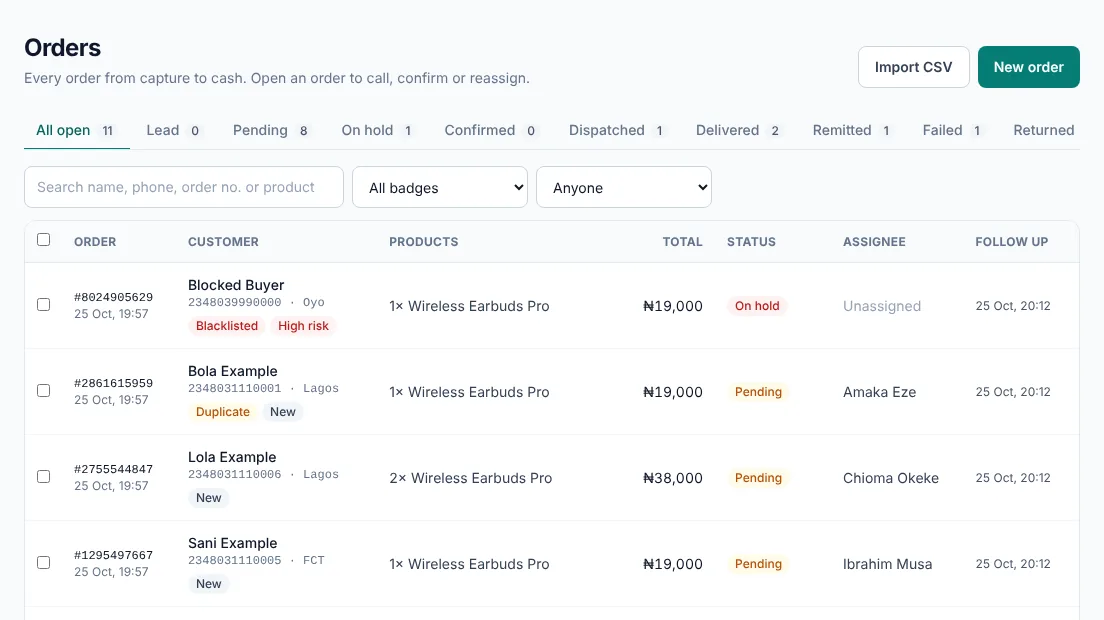
Every order, one pipeline
Lead, Pending, On hold, Confirmed, Dispatched, Delivered, Failed, Returned, Remitted. An order can only move to a step that makes sense, so the list always tells the truth.
- Delivery fee filled in from the customer’s state
- Confirming needs a delivery date, and records who confirmed it
- Upsells and bump offers follow the main order to the same rep
Calls that happen on time
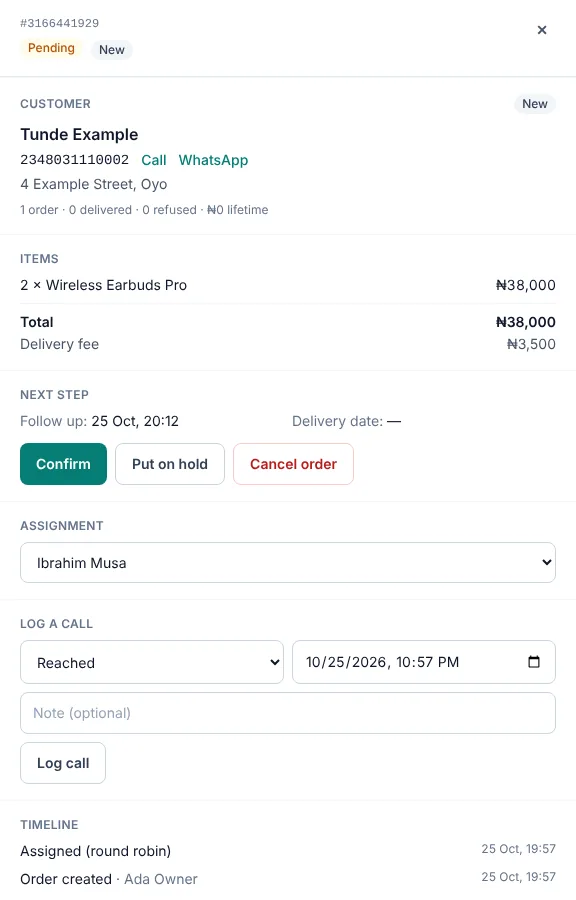
A new order gets its first call time 15 minutes after it arrives. After each call the rep records the outcome and the next call time, and Today’s follow-ups shows what is due or overdue.
Each customer’s history sits beside the order: orders placed, delivered and refused, with a label from real behaviour: New, Good, Watch, High risk or VIP.
See who confirms, and how fast
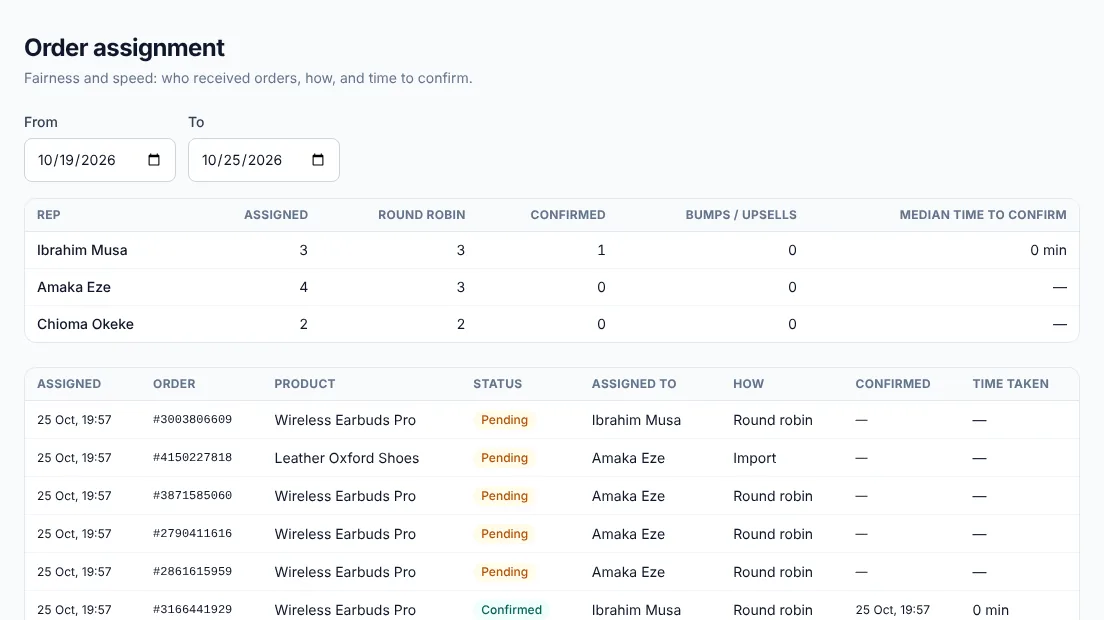
The assignment report shows how many orders each rep received, how they got them and how long they took to confirm. Exclude a rep for the day and round robin skips them.
Flags that save a wasted trip
- Duplicate
- Same customer and product as another open order.
- Blacklisted
- The number is on your blacklist. The order waits on hold.
- High risk
- This customer has refused deliveries before.
- Repeat
- Has received an order from you before.
- VIP
- Spent more than the amount you set.
- New
- No completed order yet. Not the same as risky.
Questions sellers ask
How are orders shared between call reps?
Choose round robin, where the rep with the fewest orders today gets the next one, or a shared pool where reps claim orders. Supervisors can also assign or move orders by hand, singly or in bulk. Orders a rep creates stay with that rep.
Can reps see each other’s customers?
No. Reps see only their own orders, supervisors see their team’s, and a customer’s phone number is shown only to the rep handling an open order.
What happens to a blacklisted number?
A new order from a blacklisted number goes straight to On hold and needs a supervisor to release it, so nobody dispatches it by accident.
Can I import orders I already have?
Yes, from a Sniper orders export or the Rekon CSV template. You see every row before it is saved, with a list of products to create first if any are missing.
Start with your next delivery
Free for 14 days, no card needed. Import your existing orders and see where your money is by this evening.